
The following document describes how to set up an Xumo – SAN campaign. Kochava enhances your install and event data with the Xumo – SAN ad impression or click metadata directly from Xumo – SAN to allow for extremely accurate and complete data.
Data Needed Before Beginning Process:
- Xumo Product ID
- Xumo Event Name
Create a Link for a Xumo – SAN Install Campaign
- Log in to Kochava.
- Select the desired Account and App.
- Select Engagement > Campaign Manager.
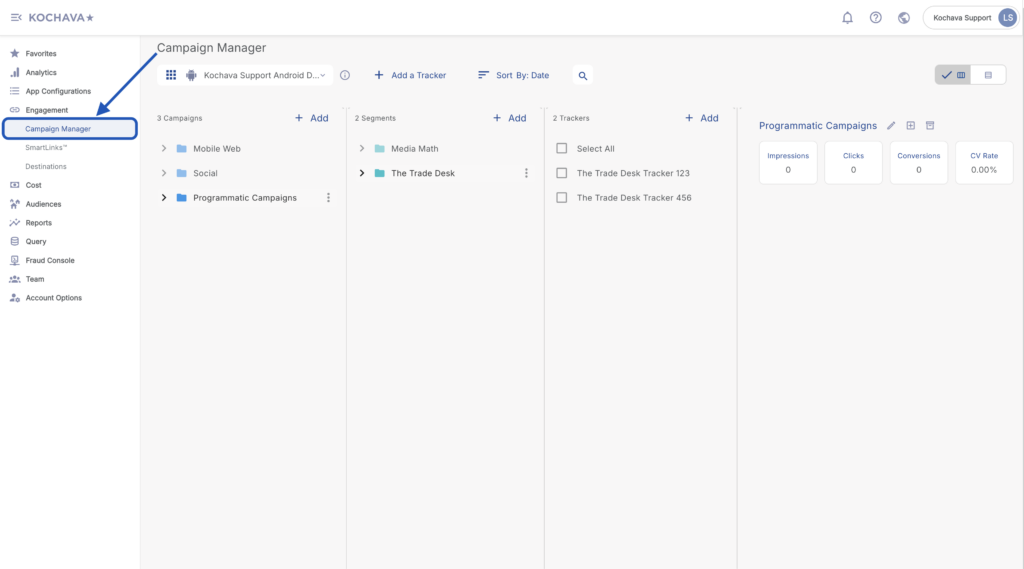
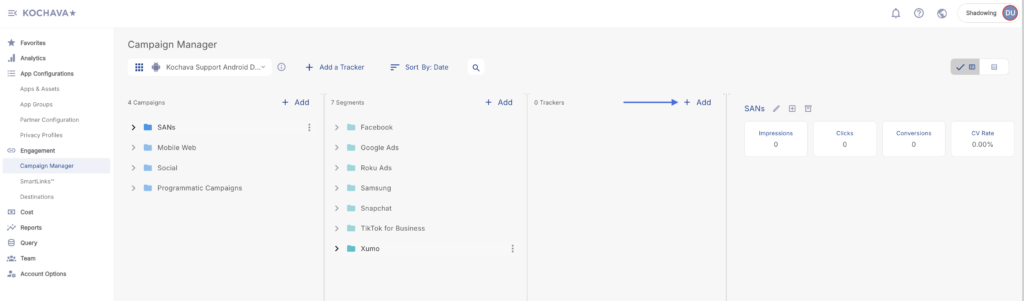
- Select the desired Campaign & Segment.
- Click + Add (Tracker)
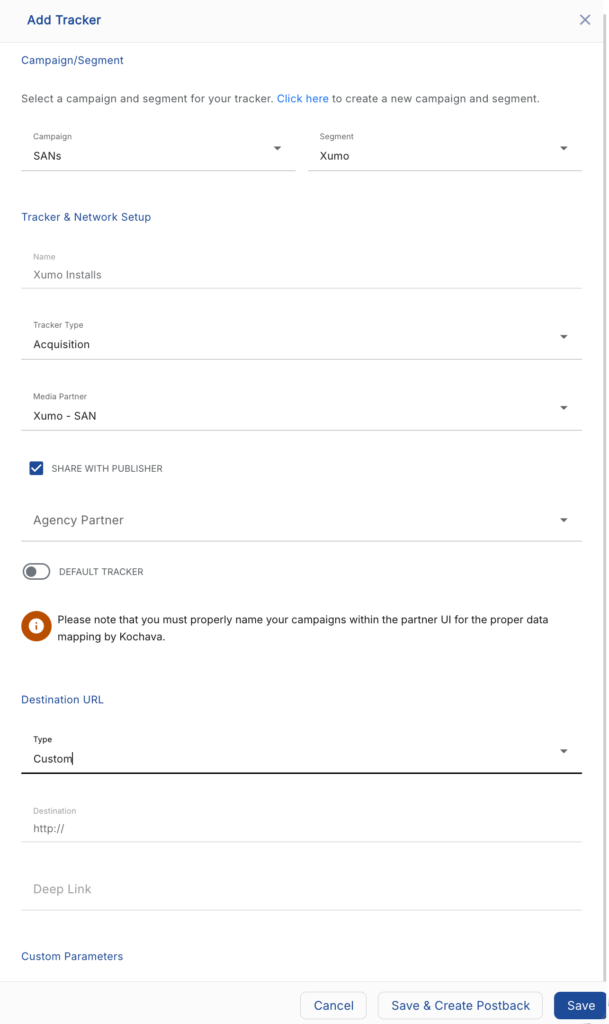
- Enter the Tracker Name.
- Select Tracker Type > Acquisition. (default setting)
- Select Media Partner > Xumo — SAN.
- Select Agency Partner. (optional)
- Enter the Destination URL.
- Enter a Deep Link. (optional)
- Enter any Custom Parameter(s). (optional)
- Click Save. (If no further trackers need to be created)
- Click Save & Add Another Tracker. (If additional trackers need to be created)
- Click Save & Create Postback (to navigate directly to the Partner Configuration page).
Install Postback Configuration
- Select App Configurations > Partner Configuration.
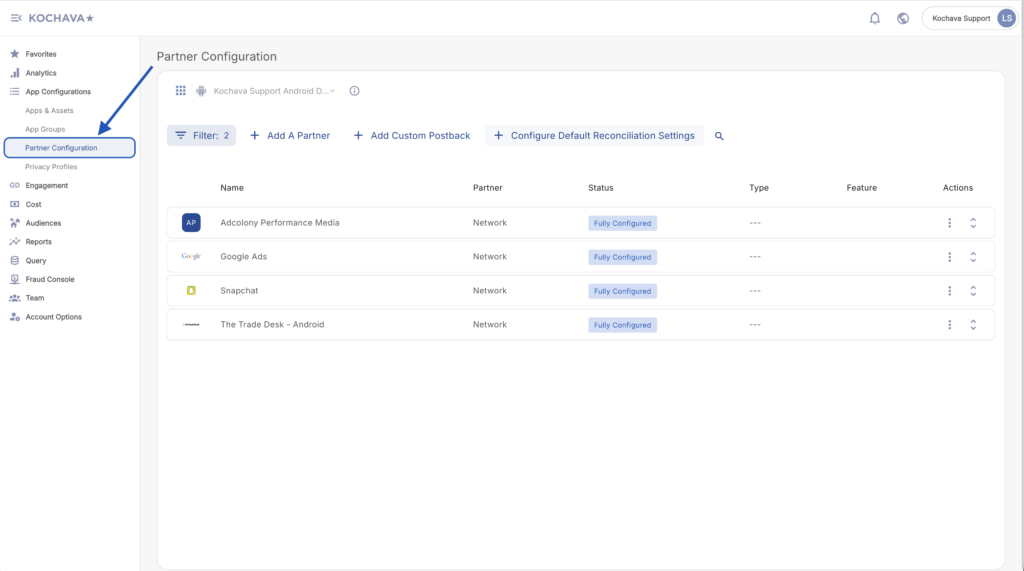
- Click + Add a Partner.
- Select Media Partner > Xumo — SAN.
- Click Next.
- Verify Status: Active.
- Click Save.
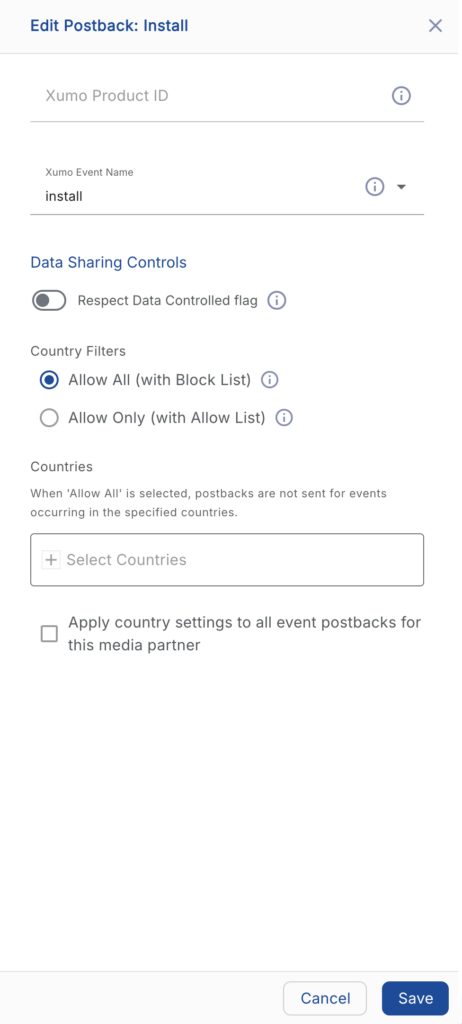
- Select Install > ⚙ (Edit).
- Enter the Xumo Product ID.
- Select the Xumo Event Name > App Install.
- Click Save.
Reengagement Configuration
The information within this section provides the steps necessary to establish a reengagement campaign. If a reengagement campaign does not need to be created, the information in this section may be disregarded.
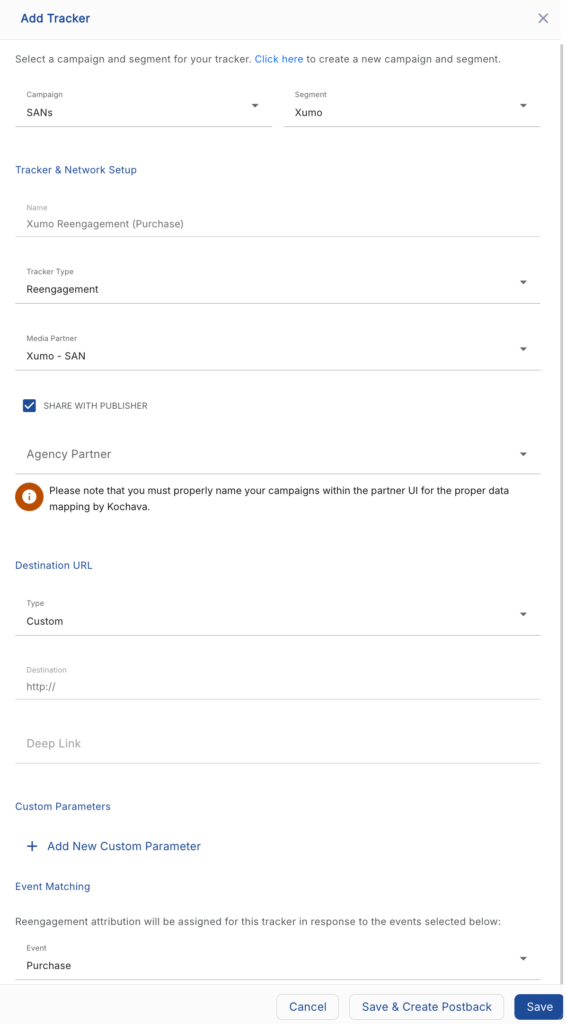
Create a Reengagement Tracker:
- Navigate to Engagement > Campaign Manager.
- Select the desired Campaign & Segment.
- Click + Add (Tracker)
- Enter a Tracker Name.
- Select Tracker Type > Reengagement.
- Select Media Partner > Xumo — SAN.
- Select an Agency Partner. (optional)
- Select the Xumo – SAN Event that will map to the selected Kochava event.
- Add Reengagement Event.
- Click Save (If no further trackers need to be created).
- Click Save & Add Another Tracker (If additional events need to be created).
- Click Save & Create Postback (to navigate directly to the Partner Configuration page).
Post-Install Event Postback Configuration:
- Select App Configurations > Partner Configuration.
- Expand the Xumo – SAN Partner Configuration.
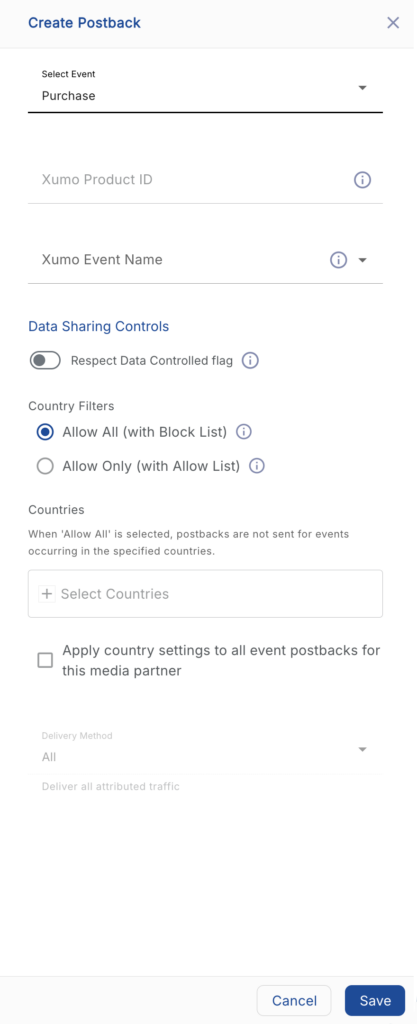
- Select + Add a Postback.
- Select the desired Event.
- Enter the Xumo – SAN Product ID.
- Select the Xumo – SAN Event Name.
- Click Save.
Standard Post-Install Event List:
| Key | Description |
|---|---|
| install | The install or first launch of the application. |
| start_trial | When a user successfully signs up for a given trial product. |
| subscribe | When a user pays for a subscription. |
| registration_complete | When a user completes an account sign up. |
| content_view | When a user views content in the app. |
| video_stream | When a user views a video. |
| wish_list | When the user adds an item to a list. |
| add_to_cart | When a user adds an item to their cart. |
| purchase | Item has been purchased. |
| ad_view | When an ad is shown to the user in your app. |
Click and Impression Attribution Macros:
Click-through attribution, also known as click tracking, is the term used when a click leads to a user action within a certain attribution window. View-through attribution, also known as impression tracking, is the term used when an impression leads to a user action within a certain attribution window. The attribution window is supported for 30-day click lookback and 14-day impression lookback to meet your business needs.
| URL Parameters | Description | Type |
|---|---|---|
| creative_id | The creative ID assigned by Xumo. | string |
| creative_name | The creative name assigned by Xumo. | string |
| campaign_name | The campaign name assigned by Xumo | string |
| campaign_id | The campaign id assigned by Xumo | string |