
What’s Happening?
Your AIM functionality is moving to the Kochava Unified Platform (KUP). All the features you use today will still be available — they’re just in a new location with an enhanced interface.
Key Benefits of the Migration
🗓️ Important Dates
During the 30-Day Dual Access Period
Use this time to familiarize yourself with KUP and verify your data
• Compare your reports side-by-side to build confidence in the new platform
• Your CSM will guide you through key workflows during weekly check-ins
• Important: Make all configuration changes in KUP; they will automatically sync to AIM within a few minutes
Quick Navigation Guide
| What You Used in AIM | Where It Is Now in KUP |
| Dashboard → Performance Overview | MMM Insights → Dashboard → Performance Overview |
| Dashboard → Sources | MMM Insights → Dashboard → Media Partners |
| Dashboard → Recommendations | MMM Insights → Dashboard → Recommendations |
| Configuration → Marketplace | MMM Insights → Configuration → Marketplace |
| Configuration → Validate Data | MMM Insights → Configuration → Validate Onboarding Data |
| User Management | Team → Members |
Step-by-Step: Your Most Common Workflows
Workflow 1: View Performance Overview
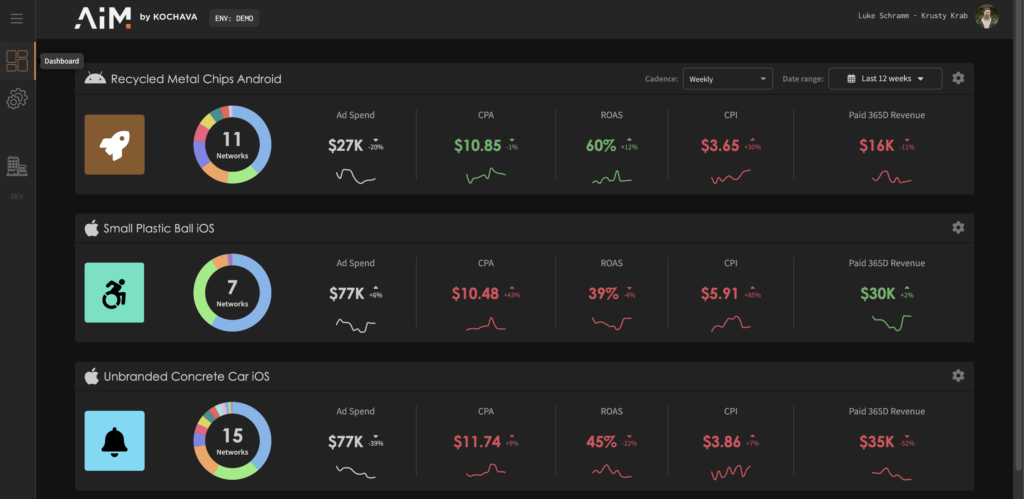
In AIM (Old):
- Log in to https://app.aimplatform.io
- Click Dashboard in left navigation
- View Performance Overview page
In Kochava for Advertisers (New):
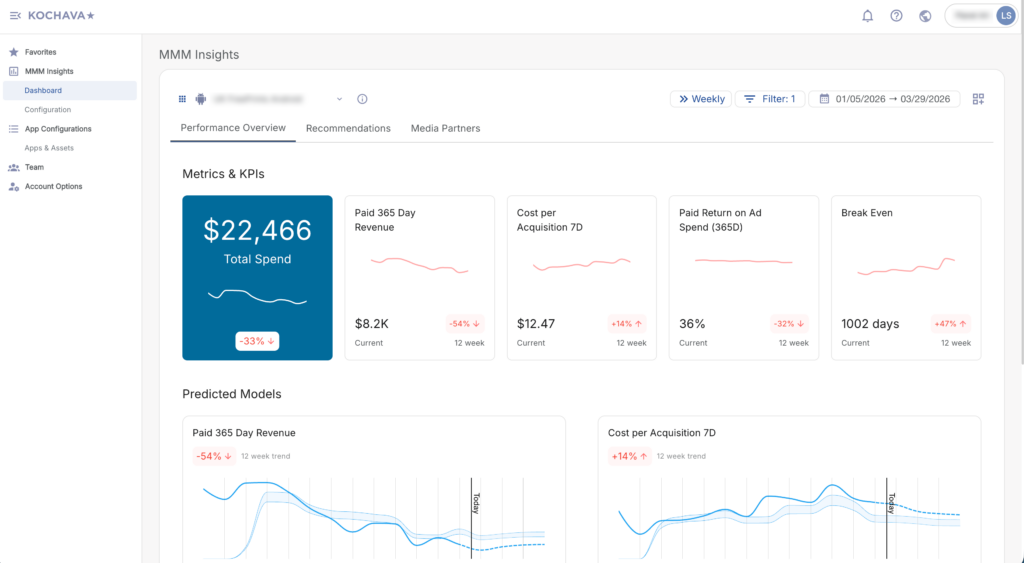
- Log in to https://console.kochava.com
- In left navigation, click MMM Insights
- Click Dashboard
- Select App
- Performance Overview is the default view
What’s the Same:
• All your metrics are displayed the same way
• Filters work identically (Region, Date Range)
• Data refresh frequency unchanged
What’s New:
• Enhanced visualization options
• Integrated with your other Kochava products (if applicable)
Workflow 2: Access Recommendations
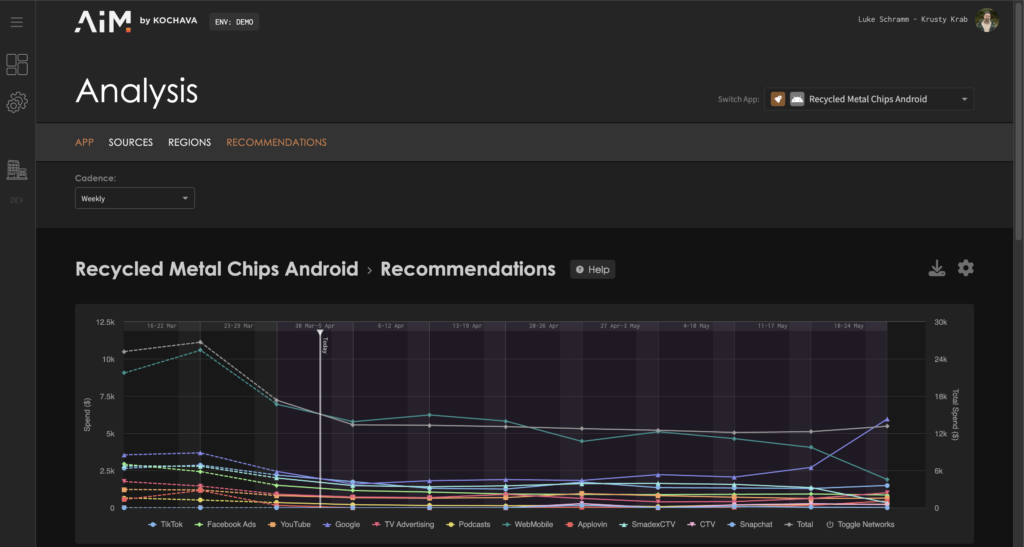
In AIM (Old):
- Dashboard → Recommendations
- View spend advice by partner
- Adjust spend allocation
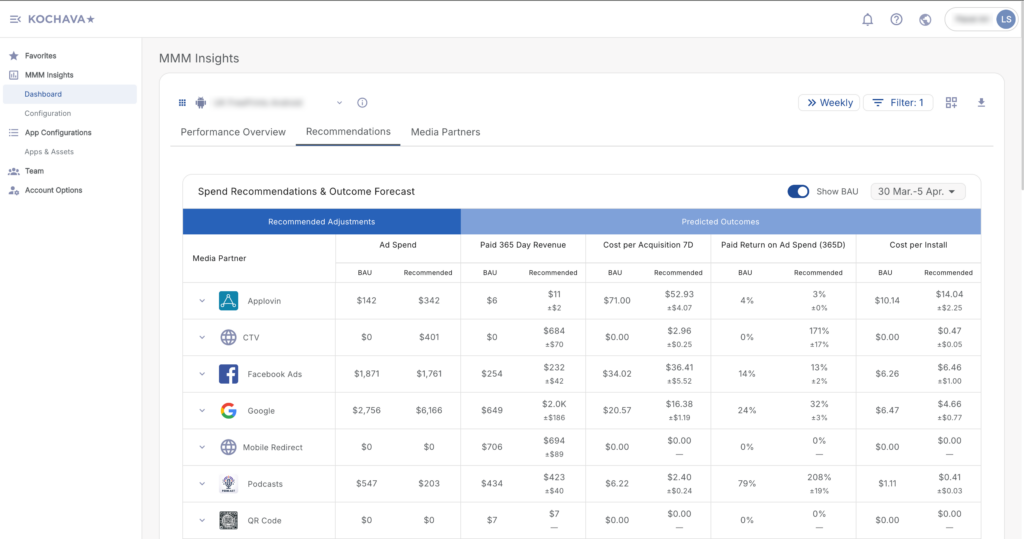
In Kochava for Advertisers (New):
- MMM Insights → Dashboard → Recommendations
- View spend advice by partner
- Adjust spend allocation
What’s the Same:
• Same recommendation engine
• Same spend advice calculations
• Same adjustment capabilities
What’s New:
• Cleaner visual design
• Improved filtering options
Workflow 3: Analyze Media Partners
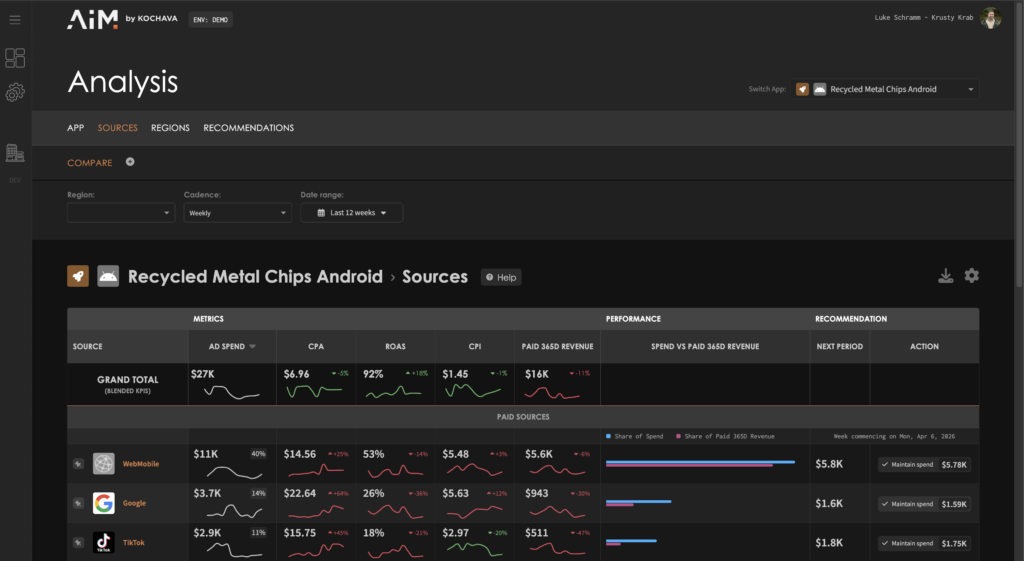
In AIM (Old):
- Dashboard → Sources
- Select media partner to analyze
- View contribution metrics
- Compare performance
- Download source data as desired
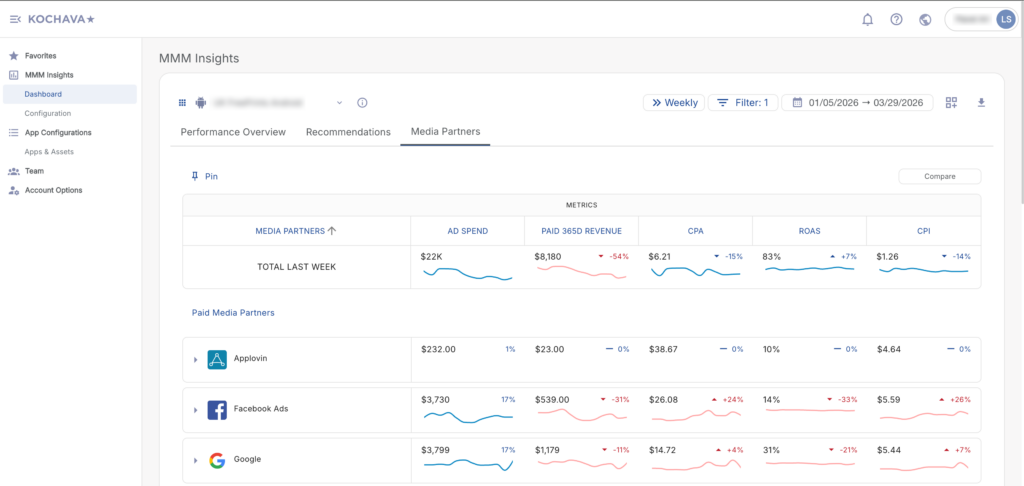
In Kochava for Advertisers (New):
- MMM Insights → Dashboard → Media Partners
- Select media partner to analyze
- View contribution metrics
- Compare performance
- Download source data as desired
What’s the Same:
• All media partner data available
• Same metrics and calculations
• Export functionality preserved
What’s New:
• Enhanced partner details popup
• Raw data available in same view
• Download accessed via popup (click on source name)
• Enhanced visual representation
Workflow 4: Configure Marketplace Regions
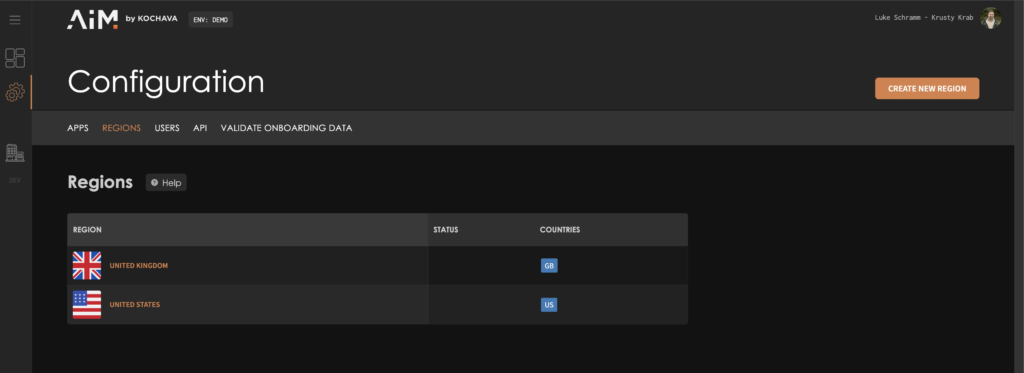
In AIM (Old):
- Configuration → Marketplace
- Add regions and countries where your app is active
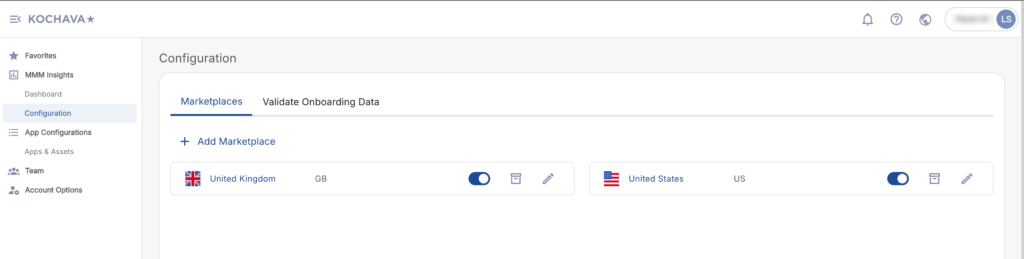
In Kochava for Advertisers (New):
- MMM Insights → Configuration → Marketplace
- Add regions and countries where your app is active
What’s the Same:
• Same marketplace and region setup
• Same process for adding/managing regions
What’s New:
• Consolidated with other MMM configuration options
• Improved regional selection interface
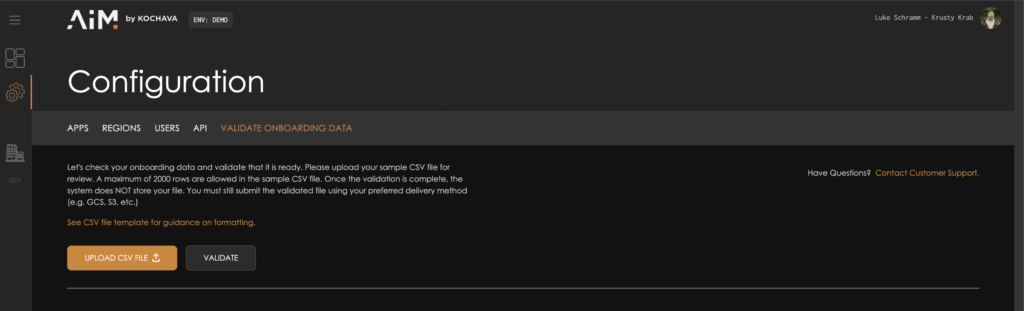
Workflow 5: Validate Onboarding Data
In AIM (Old):
- Configuration → Validate Onboarding Data
- Upload sample data file
- Review validation errors
- Download error report
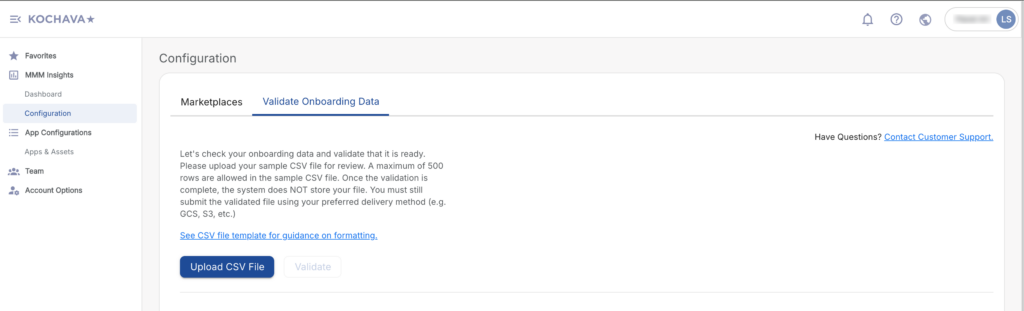
In Kochava for Advertisers (New):
- MMM Insights → Configuration → Validate Onboarding Data
- Upload sample data file
- Review validation errors on screen
- Download validation error report
What’s the Same:
• Same validation rules
• Same data specifications
• Same error reporting
What’s New:
• System guardrails (automatic validation for circular references, data type mismatches)
• Manual review flagging for Super Admins
• Enhanced error messages
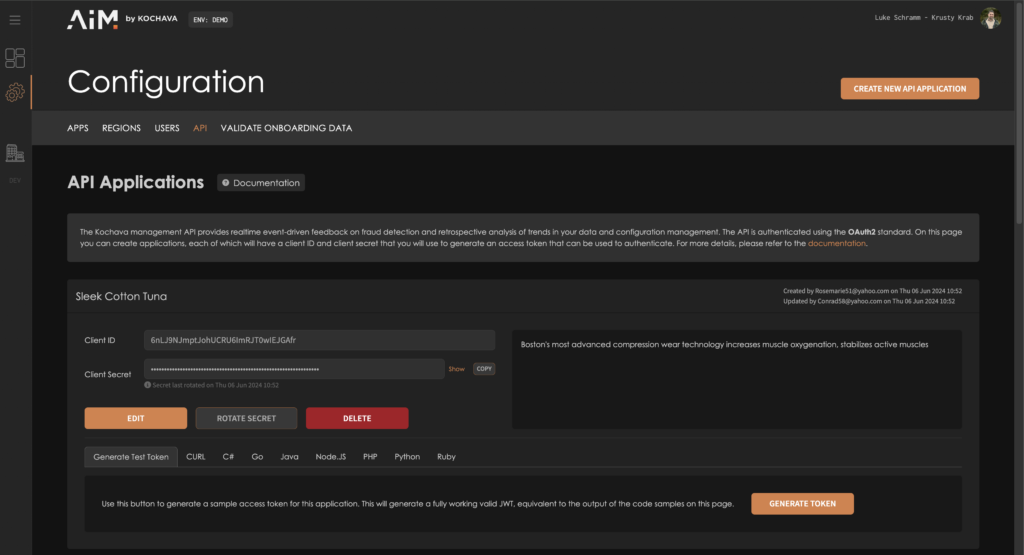
Workflow 6: Manage API Clients
In AIM (Old):
- Admin → API Clients
- View existing API client applications
- Generate/manage OAuth tokens
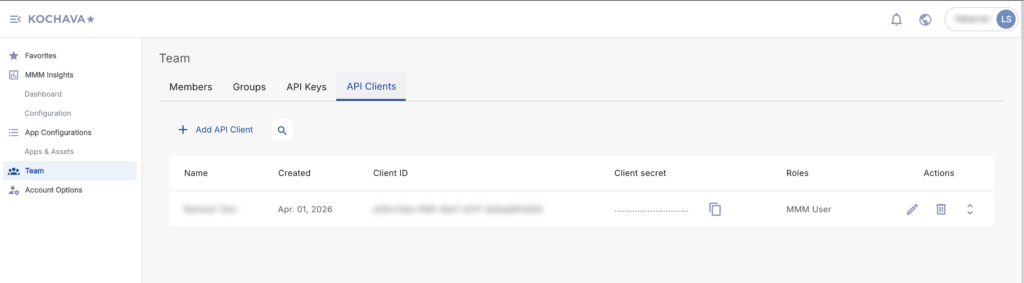
In Kochava for Advertisers (New):
- Team → API Clients tab
- View existing API client applications
- Generate new OAuth tokens with K4A endpoint
What’s the Same:
• Same API client functionality
• OAuth 2.0 authentication
What’s Different:
• Your existing AIM API tokens will NOT work with KUP
• Contact your CSM for migration assistance
Workflow 7: Manage Team Members
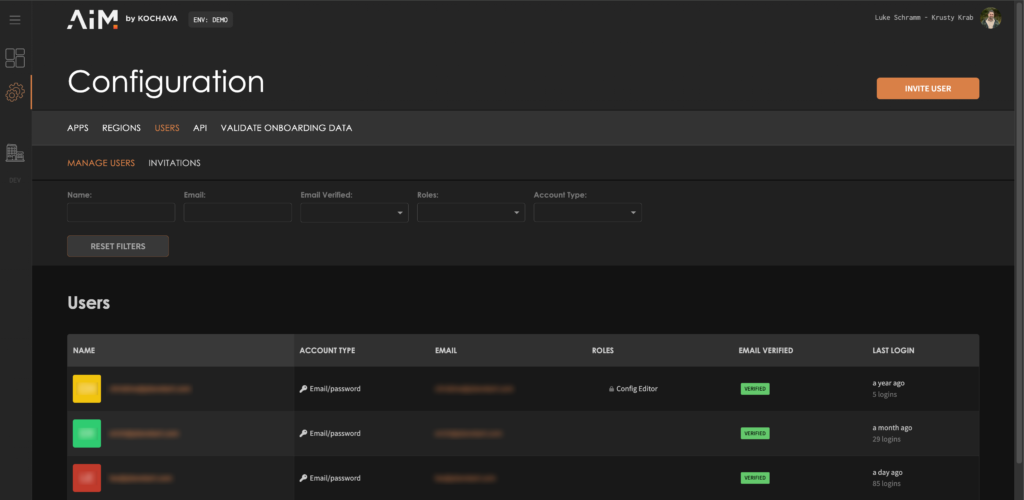
In AIM (Old):
- Configuration → Users
- Add/remove users
- Assign roles
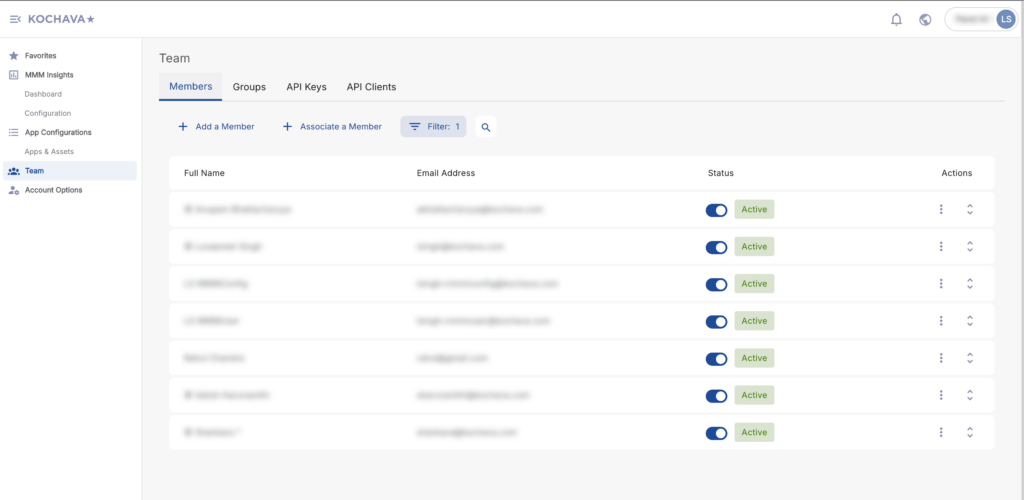
In Kochava for Advertisers (New):
- Click Team in left navigation
- Select Members tab
- Add/remove users
- Assign roles (MMM User, MMM Developer, Account Admin)
What’s the Same:
• Equivalent roles created for each AIM role (some existing KUP roles reused)
• Same user management capabilities
What’s New:
• Team page consolidates all user management
• Integrated with other Kochava products
• Enhanced role management interface with tabs for Members, Groups, and API Clients
Key Differences to Know
Navigation Changes
AIM Had:
• Simple left sidebar: Dashboard, Configuration, Users
KUP Has:
• MMM Insights section containing all AIM functionality
• Team page for user management
• Additional sections if you have MMP product
Filter Behavior
Region Filters:
• Work the same way across all dashboards
• Apply to Performance Overview, Recommendations, and Media Partners
• Selection persists as you navigate
User Roles & Permissions
| AIM Role | KUP Role | User Group | Description |
| Default | MMM User | MMM Analytics | View analytics and reports |
| Config Editor | MMM User | MMM Analytics | View analytics and manage account configuration |
| Developer | MMM Developer | MMM Config | Manage API Client Applications |
| Security Admin | MMM Account Admin | MMM Config | Manage users and assign roles |
What’s NOT Changing
✅ Your Data – All historical data migrated
✅ Your Metrics – Custom metrics preserved
✅ Your Integrations – All marketplace connections maintained
✅ Your Configuration – App and MMM settings migrated
✅ Your Team – User accounts and permissions preserved
✅ Your Analytics – Same calculation engine
Logging In
Legacy AIM (Until May 20)
• URL: https://app.aimplatform.io
• Use your existing credentials
Kochava Unified Platform (Starting April 16)
• URL: https://console.kochava.com
• Your username remains the same
• Due to different security frameworks between platforms, a default password has been set for all migrated accounts
• You must reset your password on first login
• Use the “Forgot Password” feature on the login page
• You’ll receive an email with password reset instructions
• Choose a new secure password
• After password reset, look for “MMM Insights” in the navigation
FAQ
Q: What happens to my historical data?
A: All your historical data has been migrated to KUP. You'll have access to the same data ranges.
Q: Will my reports look different?
A: The data and metrics are the same, but the visual presentation is enhanced. During the dual access period, you can compare side-by-side.
Q: Do I need new login credentials?
A: Your username remains the same. However, due to different security frameworks, you'll need to reset your password on first login using the "Forgot Password" feature.
Q: What if I find something that doesn't work correctly?
A: Contact your CSM immediately. We're monitoring feedback closely during the pilot period.
Q: What happens after May 15?
A: After May 15, the legacy AIM platform will no longer be accessible. All functionality will be exclusively through KUP.