
The following document defines the process for creating and managing an Application Programming Interface (API) Key.
Locating the API Key
- Log in to Kochava.
- Select the desired Account.
- Select Team > Members.
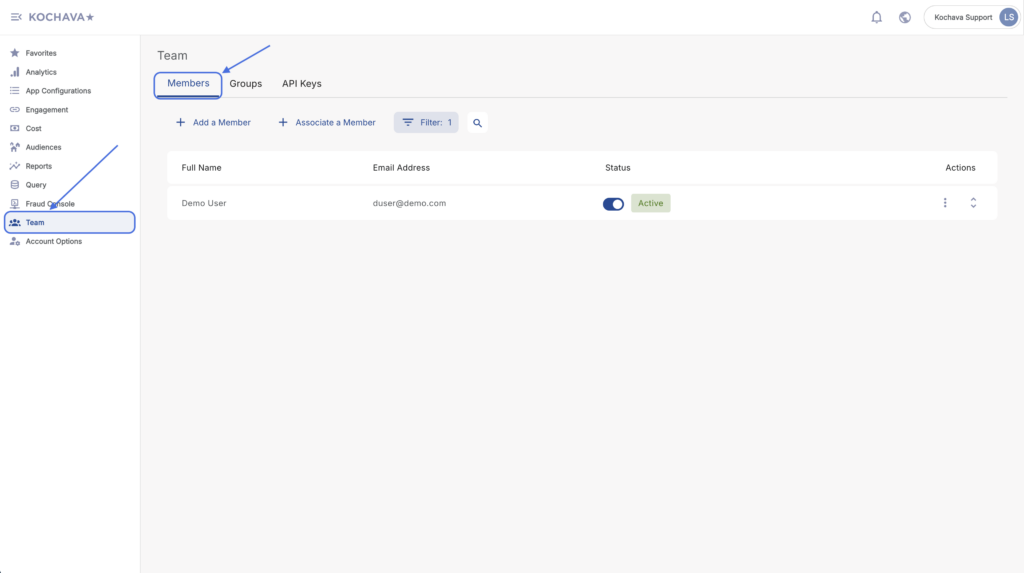
- Locate the desired Member.
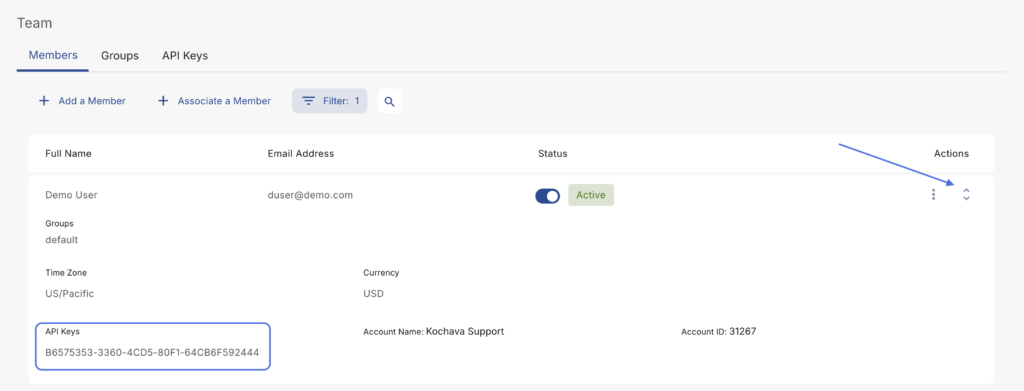
- Click the Expand Button.
- Locate the desired API Key.
Deleting an API Key
For information about deleting an API Key, contact your Client Success Managers.